
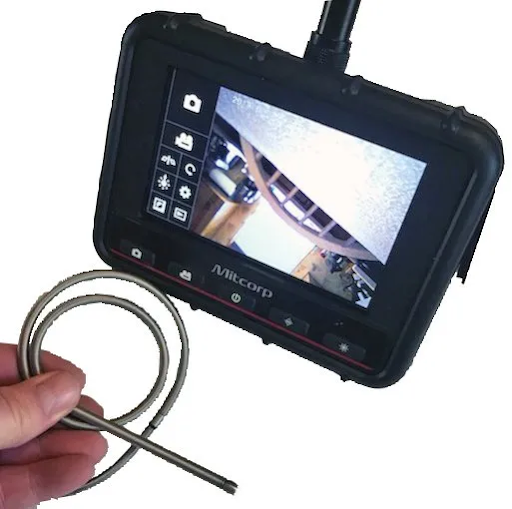
Aircraft maintenance teams are under constant pressure to move faster without sacrificing quality. Turn times matter, documentation matters, and the margin for error is small. That is why digital inspection cameras have become a normal part of modern maintenance workflows. Tools like industrial videoscopes make it easier to see internal conditions clearly, capture evidence, and share findings across the team. For technicians and QA alike, digital imaging reduces guesswork and helps inspections stay consistent from shift to shift.
In aviation environments where remote visual inspection is routine, companies like USA Borescopes support maintenance teams with industrial inspection equipment designed for tight access and high standards.
The workflow problems digital cameras solve
Many inspection delays are not caused by the inspection itself. They are caused by what happens after the inspection. Notes written in a hurry, a blurry photo stored on the wrong device, or a finding that cannot be re-located quickly can create rework that costs hours.
Digital inspection cameras reduce common workflow bottlenecks such as:
- Inconsistent evidence that leads to repeated inspections
- Slow approval loops when a lead or QA needs clearer proof
- Lost context when photos are separated from location and component notes
- Miscommunication between shifts when findings are described differently
- Delays when a subject matter expert is not on-site and needs to review images
A strong inspection workflow relies on clarity and traceability. Digital imaging supports both. When images and videos are captured correctly and stored consistently, technicians spend less time re-checking the same areas and more time completing corrective actions.
What counts as a digital inspection camera in aviation today
In aviation maintenance, digital inspection cameras are remote visual inspection tools used to inspect internal or hard-to-reach areas without disassembly. Common examples include videoscopes and borescopes equipped with a camera, lighting, and a display.
These tools are used in situations where line-of-sight inspection is not possible, such as:
- Turbine engines and combustion sections
- Fuel tanks and internal structures
- Environmental control systems and ducting
- Airframe cavities and tight mechanical compartments
- Gearboxes and accessory housings
A modern digital inspection camera is more than a simple camera on a cable. It is an inspection system that combines image clarity, lighting control, articulation, and recording. The goal is not just to see, but to capture evidence that supports a decision and can be reviewed later.
How recording and images standardize findings across teams
Digital imaging helps teams align on what is acceptable, what needs monitoring, and what requires action. In busy environments, it is easy for two technicians to describe the same indication differently. Photos and videos reduce that variability.
Building consistent defect evidence
Consistency starts with repeatable capture habits. A strong image set usually includes:
- A clear overview image to establish the location
- Closer images that show the indication in detail
- Multiple angles when surface reflections could hide features
- A short video clip, when motion helps confirm the feature
- Lighting adjusted so the indication is visible without glare
When teams adopt a common capture checklist, evidence is easier to compare across aircraft, engines, and inspection intervals. That consistency helps lead, and QA confirms findings with fewer follow-up questions.
Making shift handovers cleaner
Shift changes are a common source of delays. A note that says minor damage observed near stage two can mean many things. A short recorded clip showing where the scope is, which landmark is visible, and what the concern looks like removes ambiguity.
Digital media also helps reduce the need for the next shift to repeat the scope insertion just to understand what the first shift saw. That matters because each reinsertion takes time and introduces additional handling risk.
Streamlining inspection documentation and traceability
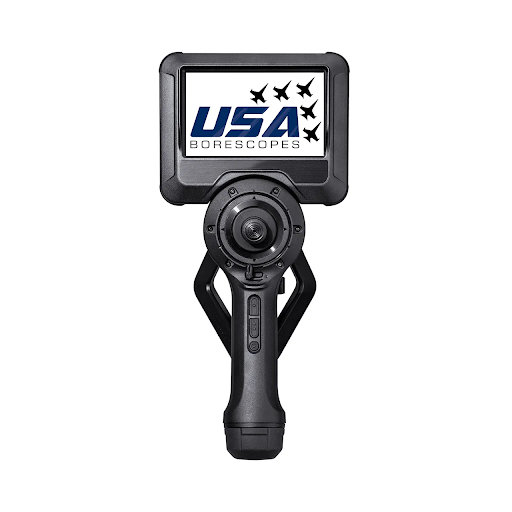
A maintenance record is only as useful as its supporting evidence. Digital inspection cameras improve documentation by establishing a direct link between the inspection and the proof.
Capturing proof for internal QA and customer reporting
Good inspection evidence supports internal sign-off and external reporting needs. While requirements vary by organization and task, strong evidence usually includes:
- Clear identification of the component or inspection zone
- Visual confirmation of where the scope is positioned
- A stable view of the indication is long enough to evaluate it
- Sufficient resolution and lighting to distinguish surface features
If a finding is borderline, a video sequence that shows the surface from multiple angles can be more persuasive than a single still image. This is especially useful when surface reflections, oil film, or carbon deposits can make a feature look worse or better depending on the angle.
Creating a repeatable inspection record
Digital documentation becomes more powerful over time. When past inspection images are easily retrievable, teams can compare what they see today with what was observed during the previous interval. That helps in two practical ways:
- Monitoring change so decisions are based on trends, not just a single snapshot
- Reducing debate by showing that a feature is stable or progressing
A repeatable record also improves training. Newer technicians learn faster when they can review real examples from the fleet rather than relying solely on descriptions.
Practical integration into a maintenance workflow
The biggest benefits appear when digital inspection is treated as a workflow, not just a tool. A simple, repeatable process makes the inspection more efficient and the output more useful.
A practical workflow often looks like this:
- Plan the inspection path
Identify access points, likely landmarks, and what images are needed to support the decision. - Prepare the equipment
Confirm battery charge, storage capacity, and cleanliness. Ensure probe-handling practices meet shop standards. - Perform the inspection and capture methodically
Record an overview first, then capture closer views. Use a short video clip when it helps establish position. - Label and store media immediately
Use file naming that includes aircraft or engine identifier, date, zone, and component. - Share findings for review
Provide evidence with brief notes summarizing what is seen and the decision being considered. - Close out the record
Store media in the appropriate location so it can be retrieved later. Confirm it is linked to the correct maintenance action.
A simple naming convention prevents most retrieval issues. For example, including the tail number, work order, inspection area, and timestamp makes it easier to find evidence months later.
Selecting equipment that supports the workflow
Not every inspection system supports real-world aviation workflows equally. The best option is the one that helps the team capture usable evidence quickly and repeatably.
Key selection factors often include:
- Probe diameter and length to match access points
- Tip articulation that allows full coverage without excessive repositioning
- Lighting control that reduces glare and improves surface visibility
- Image and video recording that is easy to use with gloved hands
- Durability for hangar use and transport between sites
- Accessories that support specific tasks, including guide tubes or protective options
For teams reviewing options, USA Borescopes products include inspection systems designed to support remote visual inspection workflows across multiple industries, including aviation maintenance environments.
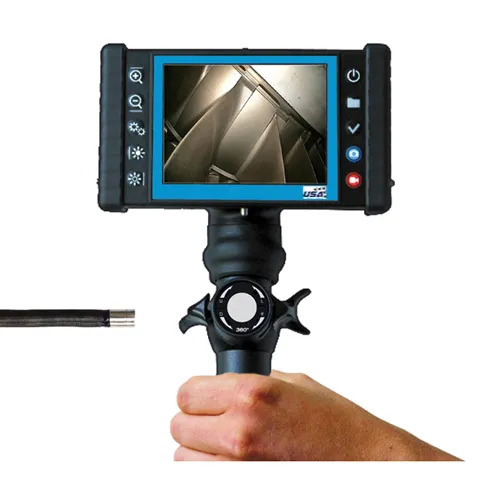
Digital inspection cameras have changed how aviation maintenance teams work because they improve the full lifecycle of an inspection. They help technicians see hard-to-reach areas clearly, document findings with confidence, and reduce the friction that often slows down approvals and corrective action. When images and video become part of a standardized workflow, teams spend less time repeating inspections and more time making informed decisions.
For maintenance teams evaluating inspection solutions, USA Borescopes provides industrial inspection equipment and support services aimed at practical, real-world inspection needs. To discuss an application, request guidance on selecting equipment, or explore options for your operation, use the contact page to reach their team.
About The Author
The author is an experienced inspection technology professional who has supported maintenance and reliability teams across aviation and industrial environments. Their work focuses on practical inspection workflows, evidence quality, and equipment selection for real-world constraints.